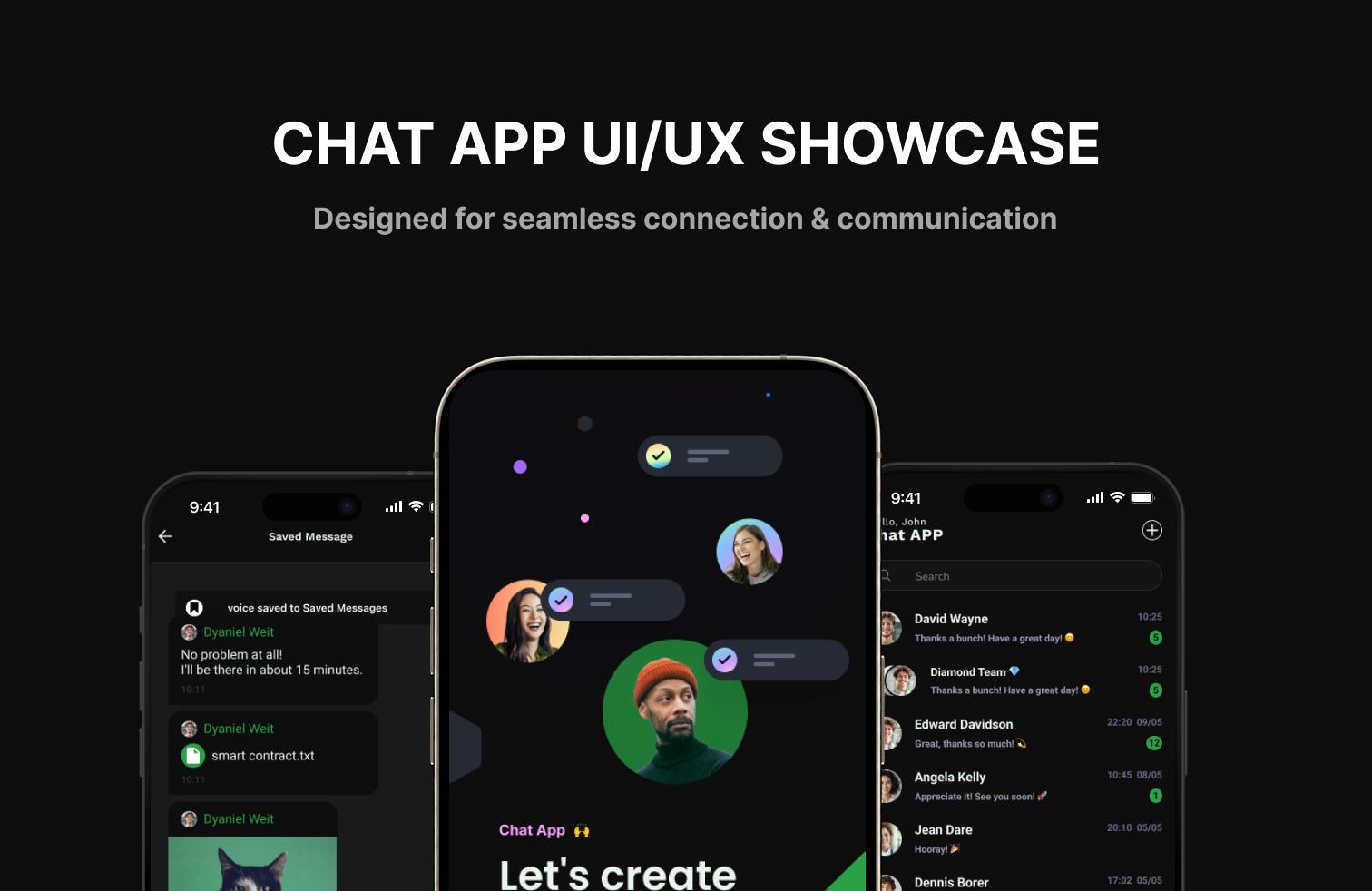
Chat App
Let's create a space for your connection.
Designing a feature-rich, real-time chat application from scratch to production
As the UI/UX Designer, I crafted the complete design system in Figma—from initial wireframes to high-fidelity components ready for development. Working with an impressive team of Flutter and Laravel developers, I focused on creating accessible, intuitive interfaces with a mobile-first approach. Every component, interaction, and user flow was thoughtfully designed to ensure seamless communication, social connectivity, and user safety.
UI/UX Designer
I led the design process from initial concept to production-ready components, creating every screen, interaction, and design asset in Figma.
- ✓User research and persona development
- ✓Wireframing and user flow mapping
- ✓High-fidelity UI design in Figma
- ✓Interactive prototyping and user testing
- ✓Design system creation and component library
- ✓Developer handoff and design QA
Working with an Impressive Team
This project was brought to life through seamless collaboration with talented developers who transformed my designs into a fully functional application.
Flutter Developers
Mobile Development
Built native iOS and Android apps with pixel-perfect implementation of designs
Laravel Developers
Backend Development
Created robust APIs, real-time messaging infrastructure, and database architecture
Understanding what users want
Fast, secure, and intuitive login
Users need to get into the app easily, with confidence that their data is protected.
Real-time communication
Users expect instant messaging with delivery status and expressive communication (emojis, voice, video).
Safe interaction with control over contacts
Users want to manage who can message them, report abuse, or avoid unwanted contact.
Friend & group discovery
Users want to quickly find and add friends or create groups for social or work chats.
Personalization & account management
Users should be able to manage their profile, settings, and even delete or reset their account.
Building the right solution
Reliable real-time chat system
Fast message delivery, message status, and various media formats.
Secure and friendly environment
Support moderation tools like report, mute, block, and suspend features.
Easy social connection
Friend discovery via QR scan, contact syncing, and group creation.
Simple, user-friendly interface
Familiar feel with easy navigation, clear buttons, and intuitive icons.
Building a Scalable Design System in Figma
I created a comprehensive design system from the ground up in Figma—establishing a modern, lightweight foundation built on a 4px base grid with rounded, line-based iconography. This system included reusable components, auto-layout structures, and design tokens that ensured consistency across all screens and made developer handoff seamless.
Color & Status Indicators
Button Variants
Layout System
- •Spacing: 4px base grid (8px, 12px, 16px, 24px)
- •Headers: Fixed headers and bottom navigation for mobile usability
- •Iconography: Rounded, line-based style (Lucide, Feather Icons)
- •Touch Areas: Large, accessible touch targets for all interactive elements
Strategic UX Choices I Made
Every design decision was intentional and backed by user research. Here are the key choices that shaped the final product.
Faster onboarding and OTP-based recovery.
Simplifies friend addition without needing to remember usernames.
Aligns with modern app expectations and reduces tap distance on mobile.
Simplifies mental model for users with filtering added for flexibility.
Ensures banned users cannot mistakenly believe there's a bug or glitch.
What I learned through user research
Users prefer familiar UI over trendy designs
Through user testing sessions with my Figma prototypes, I discovered users responded better to WhatsApp-style interfaces with clear navigation patterns. This insight shaped my final design direction toward familiarity rather than experimental UI.
Safety tools increase user trust
My research revealed that users feel more confident using a chat app when safety features are prominently accessible. I designed the "Report" and "Block" options to be intuitive and easily reachable within just 2 taps from any conversation.
Every screen, every flow, every detail
I designed the complete user experience in Figma—from authentication flows to advanced messaging features, safety tools, and social interactions. Each feature was carefully crafted to serve real user needs.
Authentication
- ✓Phone & Password Login
- ✓OTP Registration
- ✓Password Recovery
- ✓Remember Me
- ✓Password Strength Meter
Chat Features
- ✓Real-time Messaging
- ✓Typing Indicator
- ✓Read Receipts
- ✓Edit & Delete Messages
- ✓File Uploads
- ✓Voice & Video Calls
- ✓Search Chat History
User Interaction
- ✓View User Info
- ✓Block or Report User
- ✓QR Code Friend Adding
- ✓Mute Notifications
- ✓Friend Requests
- ✓Share Profile
Group Chat
- ✓Create Groups
- ✓Group Management
- ✓Group Notifications
- ✓Add/Remove Members
User Profile
- ✓Edit Profile
- ✓Change Password
- ✓Notification Settings
- ✓Delete Account
- ✓Privacy Settings
Safety & Moderation
- ✓Report User System
- ✓Automatic Warnings
- ✓Suspension Alerts
- ✓Ban Notifications
- ✓Appeal System
From Figma to Production
I designed every pixel, every interaction, and every user flow in Figma—creating a comprehensive design system that enabled our impressive Flutter and Laravel team to build a reliable, secure, and user-friendly messaging platform. Through collaborative iteration and thoughtful design decisions, we delivered an app that truly serves its users.
"Design is not just what it looks like and feels like. Design is how it works." — Steve Jobs
Related Projects
Explore more projects you might be interested in
Inventory App
Warehouse inventory management and order tracking
Kalasa Art Space
Digital hub showcasing Myanmar's rich artistic heritage with interactive galleries and event management
Connectify - Social Media App
Full-stack social media platform with Next.js, NestJS, Flutter, and PostgreSQL featuring real-time updates, hashtags, mentions, reactions, and advanced search